 Note: WiFi Explorer is my go-to WLAN tool on the Macbook, but I know a lot of WLAN engineers have been looking for a similar PC tool. welcome to WinFi, the Wi-Fi analyzer for Windows! Craig Schnarrs (@the_wifi_guy) does a masterful job in reviewing this recently-released application. Enjoy the review, especially if you have to use non-Apple tools in your wireless diagnostic work.
I really love Apple Macbooks, but my current employer only allows the use of Windows PCs. Wi-Fi analyzers on Microsoft Windows have been few and far between. They were either incredible but cost thousands of dollars (Savvius Omnipeek) or they required adapters that are no longer manufactured (AirPcap Nx and Wireshark).
It’s been such a afternoon spot for Windows users that wireless industry expert Keith Parsons jokingly said in a recent webinar that if you want wireless packet capture on Windows the best solution is to buy an Apple Macbook. Recently, I found out about a new wireless analyzer for Windows developed by Helge Keck from Frankfurt, Germany (https://twitter.com/HelgeKeck). The program is available for download in the Microsoft store
https://www.microsoft.com/en-us/p/winfi-lite/9pfrnjrf22f1?activetab=pivot:overviewtab
If your corporate GPO policy prevents you from accessing the Microsoft store, you can still download WinFi directly from the authors website at http://helge-keck.com/download.html.WinFi is made for professional Wi-Fi engineers and it is obvious as soon as you start the program up. One thing that I find really useful is that the app decodes the AP names and shows the RSSI to determine exactly which AP is nearby. This is of course dependent on the AP advertising this information in the beacon frame.
Looking under the hood:
Wi-Fi Channel plan analysis in 3D

The program has a robust ability to filter, group and sort along with drag and drop features that are shown in the Youtube video. https://youtu.be/XvYCg51pjEw
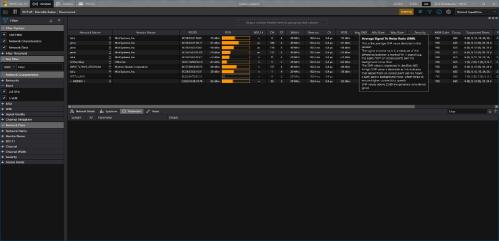
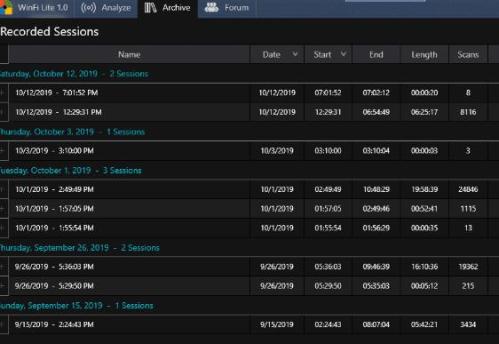
Session Recording and Playback: If I visited a site a week ago, and I want to know what the Wi-Fi was like at different chronological points, this establishes a baseline of how the Wi-Fi functions over time, which is a crucial part of a good wireless design .
Another feature I really like is PCAP, CSV export and the ability to open a network in Wireshark.
Holding down the left CTRL button during the drag and drop operation exports the network as JSON while
holding down the left SHIFT button during the drag and drop operation exports the network as CSV
Custom profiles can be created using the program’s capabilities; ideal if you need an overview of a subset of information only. The customizable user interface, is able to be manipulated in many ways to suit the needs of the project.
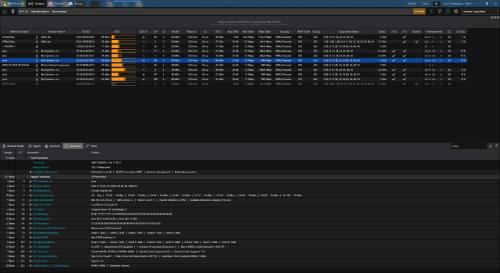
The nice thing about this program is that there is no special hardware needed. WinFi Lite runs on any Windows 10 device, any Wi-Fi adapter, any CPU, even on ARM. It includes 802.11ax draft 4.1 support, so it will work on even the newest generations of enterprise infrastructure. There is no steep learning curve WinFi leverages familiar structures and naming guidelines found in Wireshark. Networks are analyzed for standard violations and malformed elements. WinFi will let you know if there are inconsistencies that need further attention.
Future Outlooks:
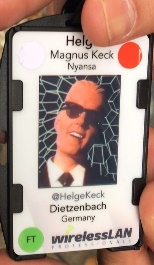
The Wireless LAN professionals conference was recently held in Prague and the author networked with hundreds of other Wi-Fi professionals. I’m looking forward to see what new developments come around in the future.
Integration with the WLANPI is also possible. Helge Tweeted, “You won’t see any other Frames than Beacons and Radio Tap Header in the Lite version, but you can still use the WlanPi and ANY OTHER external SSH TcpDump capable device as an external NIC.”
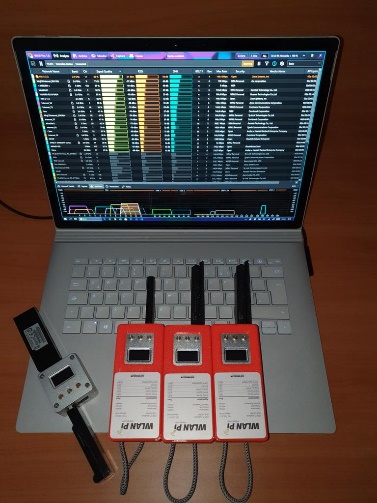
There is so much that can be done with this program, and Helge also has plans to release a PRO version with even more capabilities. For further information I recommend listening to the Clear to Send podcast episode 189 where Helge was the guest. https://www.cleartosend.net/cts-189-winfi-the-new-windows-wi-fi-scanner/.



Leave a Reply